 SGT Apps
Any paper, any layout of labels
- Sheets: Printer Brand: Custom, then Sheet Labels, then your page size, columns, rows, margins and pitch (the label's size plus the gap).
- Rolls with 2, 3 or 4 labels across: in Sheet Labels, tick This is a roll, then set Roll width and Labels across.
- Same product side by side: tick Same product across each row.
- Partly used sheet: start printing from any label on the sheet.
Design your label
- On Print Barcodes, tick what you want in the label lines: name, variant, price, compare-at price, SKU, vendor, weight, metafields, your own text and more.
- In the Label editor, drag any part where you want it and drag a corner to resize it. The arrow keys nudge it by 0.5 mm.
- Drag the round handle to turn a part to any angle, or type the angle.
- Click Test print, then Save your template.
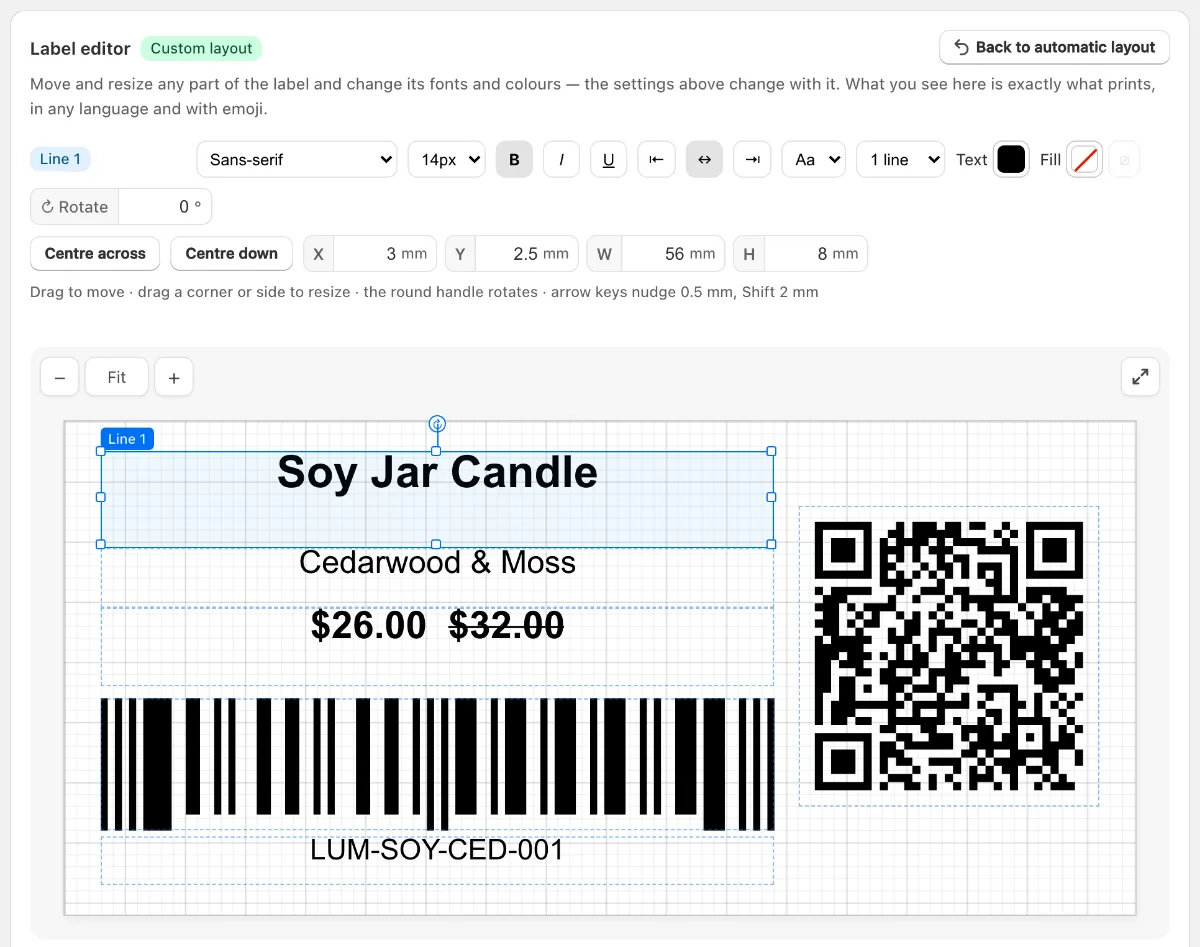
Text and colour
- 11 fonts, including Roboto, Open Sans, Lato, Montserrat, Oswald and Playfair Display.
- Style: size, bold, italic, underline, alignment, capitals, line wrap, text colour and a background colour.
- Every language: Arabic, Hindi, Chinese and others print properly, and emoji too.
Thermal printers print black only, so colour needs a colour printer and sheets.
Using Shopify? SGT is our app for this: see it on the Shopify App Store (free plan, 4.8 from 53 reviews).
Turn the whole label
For rolls that feed sideways, set Content direction under Label setup. The preview shows it as it will print.
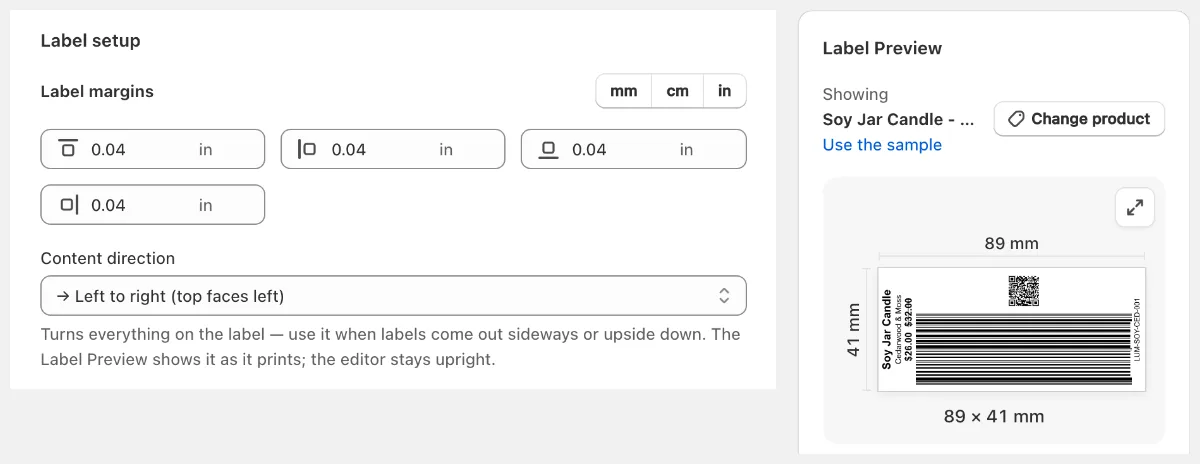
Keep your design
Save up to 5 templates and mark one as your default with Make default. The print page opens with it each time.
Prefer video? Watch the 90-second SGT tour on YouTube.
Frequently asked questions
Can I print 2 or 3 barcode labels across a roll?
Yes. Under Printer Brand choose Custom, then Sheet Labels, and tick This is a roll. Set the roll width and how many labels sit across. Tick Same product across each row if each row should be one product.
Can I rotate a barcode on a label?
Yes. Drag the round handle above it or type an angle. A barcode at a slanted angle may be harder to scan, so keep it straight or at 90 degrees if you can.
Can I add my logo or product image to a barcode label?
Yes. Under Image, choose Product image, or Custom logo with a link from Shopify Files, then place it in the editor.
Do I need design skills?
No. The automatic layout works on every size. Use the editor only if you want something different, and Back to automatic layout undoes it.