 SGT Apps
When one label needs both
| You want to | Use |
|---|---|
| Ring up a sale or count stock | Barcode |
| Let shoppers see sizes, reviews or care details | QR code to the product page |
| Let shoppers reorder the exact variant | QR code to that variant |
| Do both from one small tag | Barcode + QR |
Don't swap one for the other
Keep the barcode for checkout. Not every POS scanner reads QR codes, and GS1 says a QR code needs the product's GTIN added before it can also scan at checkout. A plain link QR code doesn't carry one.
Using Shopify? SGT is our app for this: see it on the Shopify App Store (free plan, 4.8 from 53 reviews).
Print both on one label
- On Print Barcodes, under Code on label, choose Barcode + QR.
- Choose your barcode format and whether the QR code goes left or right.
- Under QR data, choose what the QR code holds.
- Click Test print and scan both with your own scanner and phone.
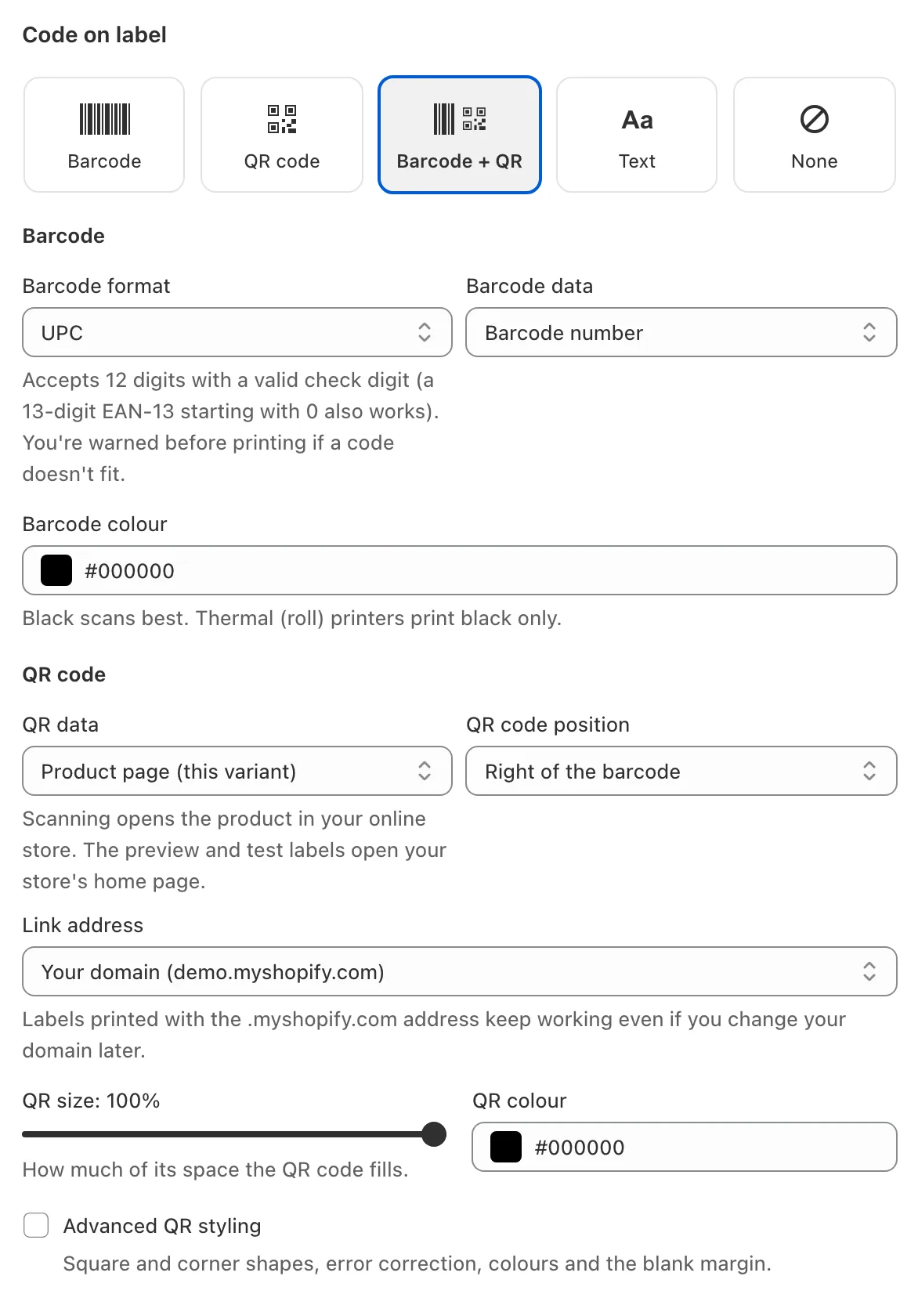
What a QR code can hold
- Product page or Product page (this variant), on your own domain.
- Your store's home page, a sale or any link: use Custom text or link.
- Product details: SKU, barcode, name, vendor, tags, weight or a metafield.
- Your own text with each variant's details filled in, using {sku}, {barcode}, {handle}, {variant_id} and {product_id}.
On small labels
Barcode + QR needs width. SGT gives the barcode the room it needs first and warns you if either part may be too small to scan. On tiny tags, use the label editor or print them on separate labels. More options are in the QR code labels guide.
Prefer video? Watch the 90-second SGT tour on YouTube.
Frequently asked questions
Why would a product label have both a barcode and a QR code?
The barcode is read by POS and stock scanners to find the product. The QR code is read by a shopper's phone to open a page. Both together serve staff and customers from one label.
Can a QR code replace a barcode at checkout?
Not reliably yet. Scanners vary, and GS1 says a QR code needs the GTIN added to scan at checkout. Keep the barcode on anything sold at a till.
How do I link a QR code to a specific variant?
Under QR data choose Product page (this variant). Each label then opens that exact variant on your store.
Will QR links break if I rename a product?
Variant links keep working after a rename, because they use the variant's ID rather than the product's handle.